Key Takeaways
- An SMM panel is a dashboard where users can browse and order social media marketing services from one place.
- Beginners should read the complete service description instead of choosing a service based only on its price or name.
- Check the rate, minimum order, maximum order, refill terms, link format, and any stated limitations before paying.
- Your first order should usually be small enough to help you understand how the service and dashboard work.
- Never share your social media password, two-factor authentication code, or other private login credentials just to place a standard SMM order.
- SMM services do not replace content quality, audience research, community building, or organic marketing.
- If you are unsure about a service, understand its terms before scaling to larger orders.
Opening an SMM panel for the first time can be confusing. You may see hundreds of services with different rates, minimum quantities, refill labels, start times, and similar-looking names. The difficult part usually is not finding the order button. It is understanding what you are actually ordering.
This beginner guide walks through the process from start to finish: how an SMM panel is organized, how to compare services, what information to check before ordering, what link to submit, how order statuses work, and which mistakes are worth avoiding.
If you are still unfamiliar with the basic concept, you can first read LuvSMM's guide explaining what an SMM panel is. This article focuses on the practical next step: using one sensibly.
How Does an SMM Panel Work for a Beginner?
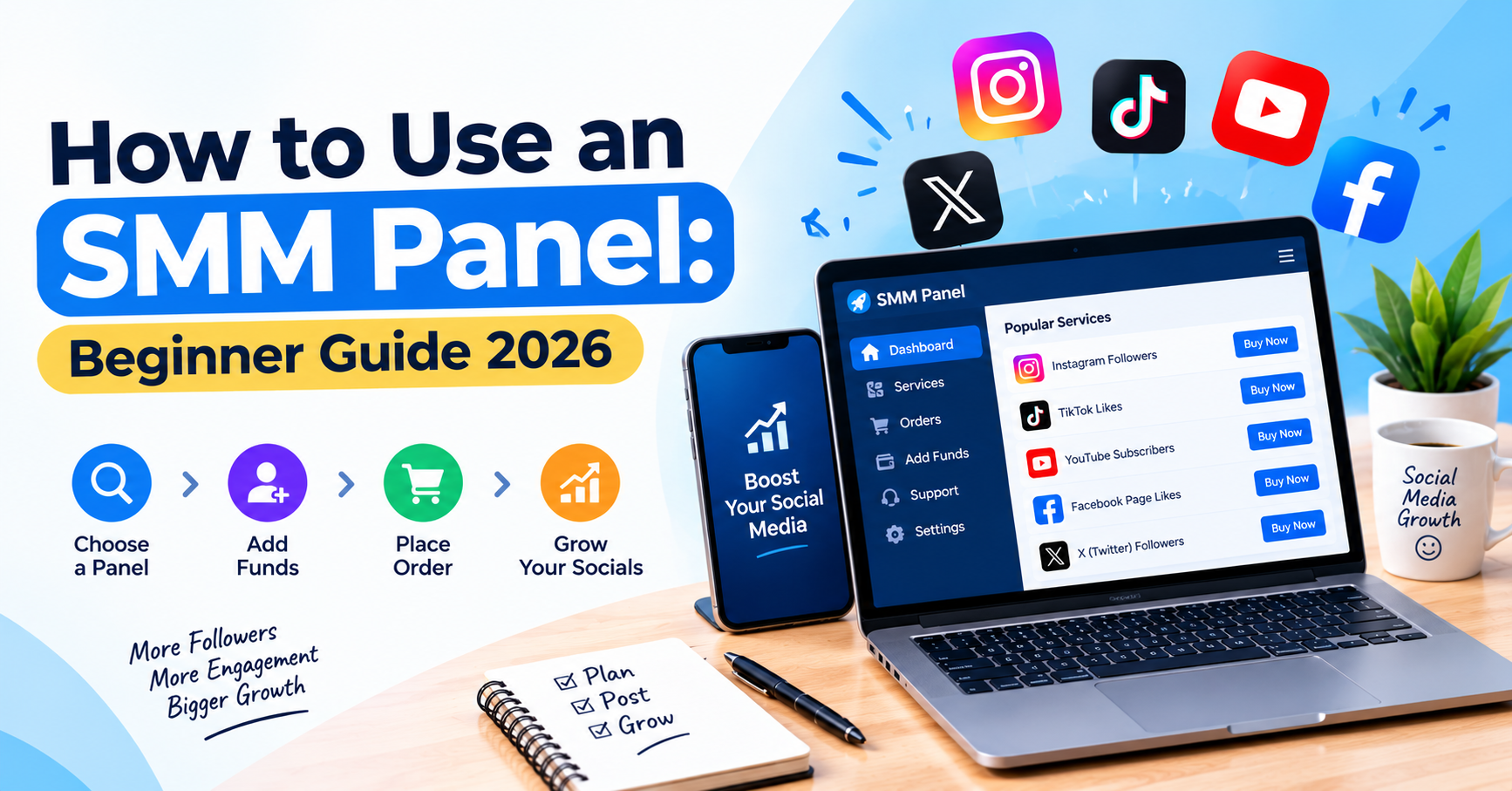
An SMM panel typically works by letting you select a social media service, provide the required public link or username, choose a quantity, and submit an order through a dashboard.
The exact interface varies between providers, but the basic workflow is usually straightforward. Services are grouped by social platform or service type, making it possible to browse options for things such as followers, likes, views, subscribers, reactions, or other supported metrics.
A basic ordering journey may look like this:
- Create an account with the panel.
- Review the available service categories.
- Select the social platform you need.
- Read the complete service description.
- Check the rate, minimum quantity, maximum quantity, and applicable terms.
- Add the required funds to your panel balance where applicable.
- Enter the correct public profile, channel, post, or video link.
- Choose a quantity.
- Review the information once more.
- Submit the order and monitor its status.
That sounds simple, but most beginner mistakes happen between steps four and nine. Two services that appear almost identical can have different requirements, quantities, refill conditions, or intended uses.
What Should You Check Before Choosing an SMM Panel Service?
Before ordering, check the service description, rate, quantity limits, refill conditions, link requirements, and any delivery information shown by the provider.
Do not choose solely because one service appears first in the list or costs less than the others. A lower-priced option can have different terms from another service in the same category.
| Service detail | What to check |
|---|---|
| Service name | Confirm that it matches the platform and metric you actually need. |
| Rate | Understand how the displayed price is calculated. Many panels quote rates per 1,000 units. |
| Minimum order | Check the smallest quantity that the service allows. |
| Maximum order | Do not submit a quantity above the service limit. |
| Refill terms | See whether refill is offered and, if so, under what conditions and for what period. |
| Link format | Determine whether the service requires a profile URL, post URL, video link, channel link, or username. |
| Service notes | Read any special conditions instead of assuming all services in the same category behave identically. |
If you are comparing providers rather than choosing an individual service, LuvSMM's SMM panel evaluation checklist covers broader factors such as platform coverage, service descriptions, pricing, support, and policies.
How Do SMM Panel Prices Usually Work?
SMM panel prices are commonly displayed as a rate for a defined quantity, often per 1,000 units, while the actual order cost depends on how much you order.
Suppose a hypothetical service is listed at ₹200 per 1,000 units. An order for 250 units would not automatically cost ₹200 if the panel calculates pricing proportionally. The panel would normally calculate the cost according to its own pricing system before you submit the order.
That is why the headline rate should not be the only number you read. Also check:
- the minimum quantity;
- the maximum quantity;
- the total order cost shown before submission;
- whether different quality or service tiers exist;
- the refill or replacement terms attached to that particular service;
- any service-specific requirements.
The cheapest-looking service is not automatically the most suitable service. A slightly different option may better match the quantity, platform, or conditions you need.
What Link Should You Enter When Placing an Order?
Enter exactly the type of public link requested in the service description rather than guessing which URL the system needs.
This sounds obvious until you see several services for the same platform. One service may require a profile link, while another expects a specific post or video URL.
For example:
- A follower service may ask for a profile or account link.
- A post-like service may require the exact post URL.
- A video-view service may require the individual video URL.
- A channel service may require the public channel link or username.
Copy the link directly from the platform where possible and check it before submitting.
A wrong or inaccessible target can prevent an order from being processed correctly. The LuvSMM terms and refund/refill policy, for example, explicitly discusses link-formatting requirements and situations involving rejected, failed, or partially delivered orders.
Should Your First SMM Panel Order Be Small?
For a beginner, a small first order is generally a sensible way to learn how a service works before committing more balance or managing larger quantities.
Your first order does not need to be a stress test. Its purpose can simply be to understand the dashboard, service description, required link format, order history, and status system.
Illustrative Example
Imagine a new user wants to understand how a panel's Instagram service works. Instead of immediately selecting a large quantity, the user checks the available services, finds one with a manageable minimum quantity, reads the terms, confirms the correct profile or post link, and places a small order.
The useful part of this example is not a promised result. It is the decision-making process. The user learns how the service is described and how an order moves through the panel before deciding whether to use that service again.
A small test also makes it easier to spot simple mistakes, such as choosing the wrong service category or submitting an incorrect link.
What Do SMM Panel Order Statuses Mean?
Order statuses show where an order is in the provider's workflow, although the exact names and definitions can vary between panels.
You may encounter terms such as pending, processing, completed, partial, canceled, or similar labels. Do not assume that every provider defines every status in exactly the same way.
| Common status | General meaning |
|---|---|
| Pending | The order has been submitted but may not yet have started processing. |
| Processing | The order is currently being handled or delivered. |
| Completed | The system has marked the order as completed. |
| Partial | Only part of the requested quantity was fulfilled. Check the panel's policy for how the remaining amount is handled. |
| Canceled | The order was canceled rather than completed. The financial treatment depends on the provider's stated terms. |
When using LuvSMM specifically, users should refer to its published refund, refill, cancellation, and service terms for the current rules rather than relying on a generic explanation.
Do You Need to Share Your Social Media Password?
A standard SMM service working with a public profile, post, video, or channel should not require you to hand over your social media password just to submit that public target.
Password requests deserve extra caution. Your password, two-factor authentication codes, recovery codes, banking PINs, and other private credentials should be treated very differently from a public social media URL.
LuvSMM's published policy states that it does not request or store social-media passwords, 2FA codes, or card PINs. Users considering the platform can review those details directly in its terms and privacy-related service policies.
Regardless of which provider you use, basic account-security habits still matter:
- Use a unique password for your panel account.
- Do not share social-media login credentials unnecessarily.
- Never send an OTP or 2FA code to an unknown person.
- Check that you are visiting the correct website before entering payment or account information.
- Protect API keys if you later use an automated integration.
What Are the Most Common Beginner SMM Panel Mistakes?
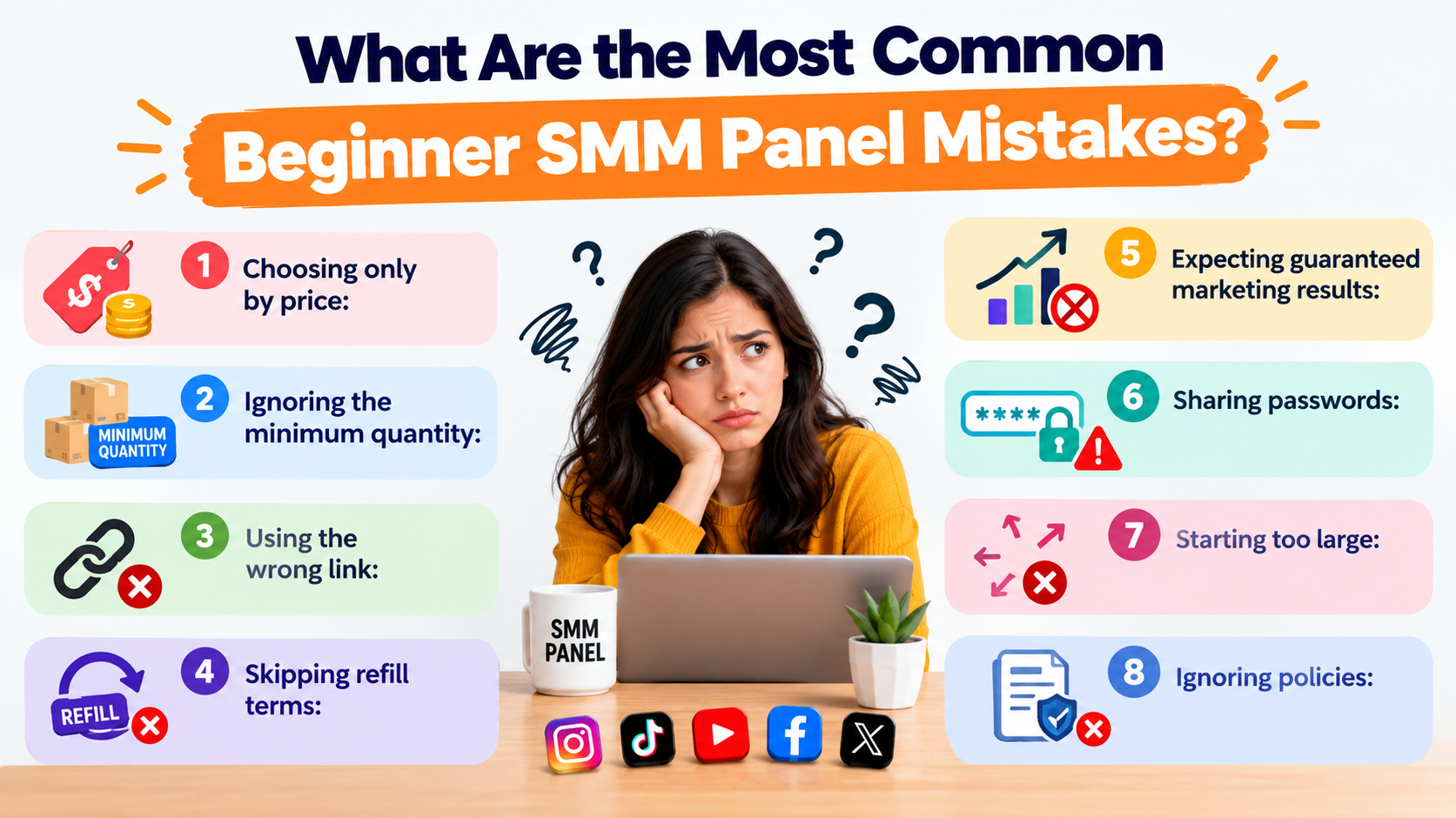
The biggest beginner mistakes usually come from rushing: choosing by price alone, skipping the service description, entering the wrong link, or placing a large order before understanding the service.
Watch for these common errors:
- Choosing only by price: Two similarly named services can have different conditions.
- Ignoring the minimum quantity: Your intended order may fall outside the service limits.
- Using the wrong link: A profile URL and a post URL are not interchangeable when a service requests one specifically.
- Skipping refill terms: Do not assume every service includes the same refill conditions.
- Expecting guaranteed marketing results: Ordering a metric does not guarantee reach, sales, ranking, monetization, or genuine audience interest.
- Sharing passwords: Public-link services generally should not require access to your social account.
- Starting too large: A smaller first order can help you understand the workflow.
- Ignoring policies: Read refund, cancellation, and refill rules before you need them.
If you still have questions about terminology or panel use, LuvSMM also maintains an SMM panel FAQ covering common service and account questions.
Can an SMM Panel Replace Organic Social Media Marketing?
No. An SMM panel should not be treated as a replacement for content, audience relationships, creative strategy, or genuine social media marketing.
A dashboard can provide access to specific social-media services, but it cannot make people care about weak content or guarantee that a platform will recommend it.
Long-term social media performance still depends on factors such as:
- the quality and usefulness of your content;
- how well you understand your target audience;
- your niche and level of competition;
- posting consistency;
- genuine comments and conversations;
- community building;
- collaborations;
- creative testing;
- analytics and iteration;
- the rules of the platform you use.
This distinction is important. A number on a dashboard and a genuine audience relationship are not the same thing.
What About SMM Panels for Agencies and Resellers?
Agencies and resellers often need more than a basic order form, which is where features such as API access, order-status checks, service lists, and bulk workflows become relevant.
A beginner placing occasional orders may never need an API. Someone operating a reseller website or managing a larger workflow may eventually want software to communicate directly with the provider.
According to LuvSMM's current documentation, its developer API includes actions for retrieving services, adding orders, checking order status, requesting refills, checking refill status, cancellation, and retrieving account balance.
If you are completely new, however, there is no reason to begin with automation. Learn the manual workflow first. Understanding individual service descriptions and order statuses makes API terminology much easier to understand later.
Beginner Checklist Before You Submit an SMM Panel Order
A 30-second check before ordering can prevent many of the mistakes that frustrate first-time users.
- ☐ I selected the correct social media platform.
- ☐ I read the full service name and description.
- ☐ I checked the minimum and maximum order quantities.
- ☐ I understand the displayed rate and total order cost.
- ☐ I checked whether refill terms apply.
- ☐ I copied the correct public profile, post, video, or channel link.
- ☐ My target is accessible as required by the service.
- ☐ I have not shared my social media password or 2FA code.
- ☐ I have read the relevant refund and cancellation terms.
- ☐ I am comfortable starting with the selected quantity.
For a first-time user, clarity matters more than speed. If you do not understand what a service name means, find the explanation before clicking the final order button.
Frequently Asked Questions
What is an SMM panel used for?
How do I use an SMM panel for the first time?
Should I choose the cheapest service on an SMM panel?
Do I need to give an SMM panel my Instagram or YouTube password?
What does partial mean on an SMM panel order?
Can an SMM panel guarantee organic growth?
What should I check before my first SMM panel order?
Final Thoughts: Using an SMM Panel Without the Guesswork
An SMM panel becomes much easier to use once you stop treating the service list like a menu of prices and start reading it as a set of different service conditions.
For your first order, focus on the basics: choose the correct category, understand what the service provides, check the minimum and maximum quantities, use the right public link, read the applicable refill and refund terms, and begin with a quantity you are comfortable testing.
Most importantly, keep the role of SMM services in perspective. They are not a substitute for useful content, a relevant audience, genuine engagement, analytics, or a sustainable marketing strategy.
If you want to explore the available categories and current information directly, visit the LuvSMM homepage and review the service details before placing an order.

Sarthak has over 8 years of experience in scaling Indian social media brands. He specializes in high-retention growth strategies and monetization compliance. View Full Profile & Articles View Author Profile →